You can use either of the following URLs to prompt users for more Tesla
permissions in the event you need additional access from the
vehicle owner due to:
Needing access to an endpoint out of scope for your existing permissions
If one or more of the Smartcar scopes you pass map to a new Tesla permission(s)
for the account, the user will be prompted to update access after they log in
with Tesla.To prompt users to update their Tesla permissions, use the reauthentication flow. This allows users to grant additional permissions without requiring a new vehicle connection.
Specifies the brand to update access to. Currently, the only make available for this flow is TESLA.
application_id
string
true
The application’s unique identifier. This is available on the credentials tab of the Smartcar Dashboard.
scope
[permissions]
true
A space-separated list of permissions that your application is requesting access to. The valid permission names can be found in the permissions section. When reauthenticating, the user will be required to grant the corresponding OEM permissions before being able to exit the flow.
The reauthentication flow does not redirect the user back to your application or issue new credentials. Your existing application-level access token continues to work for all connected vehicles.
To ensure users select the necessary permissions with Tesla before
being able to connect their vehicle via Smartcar, please append the required:
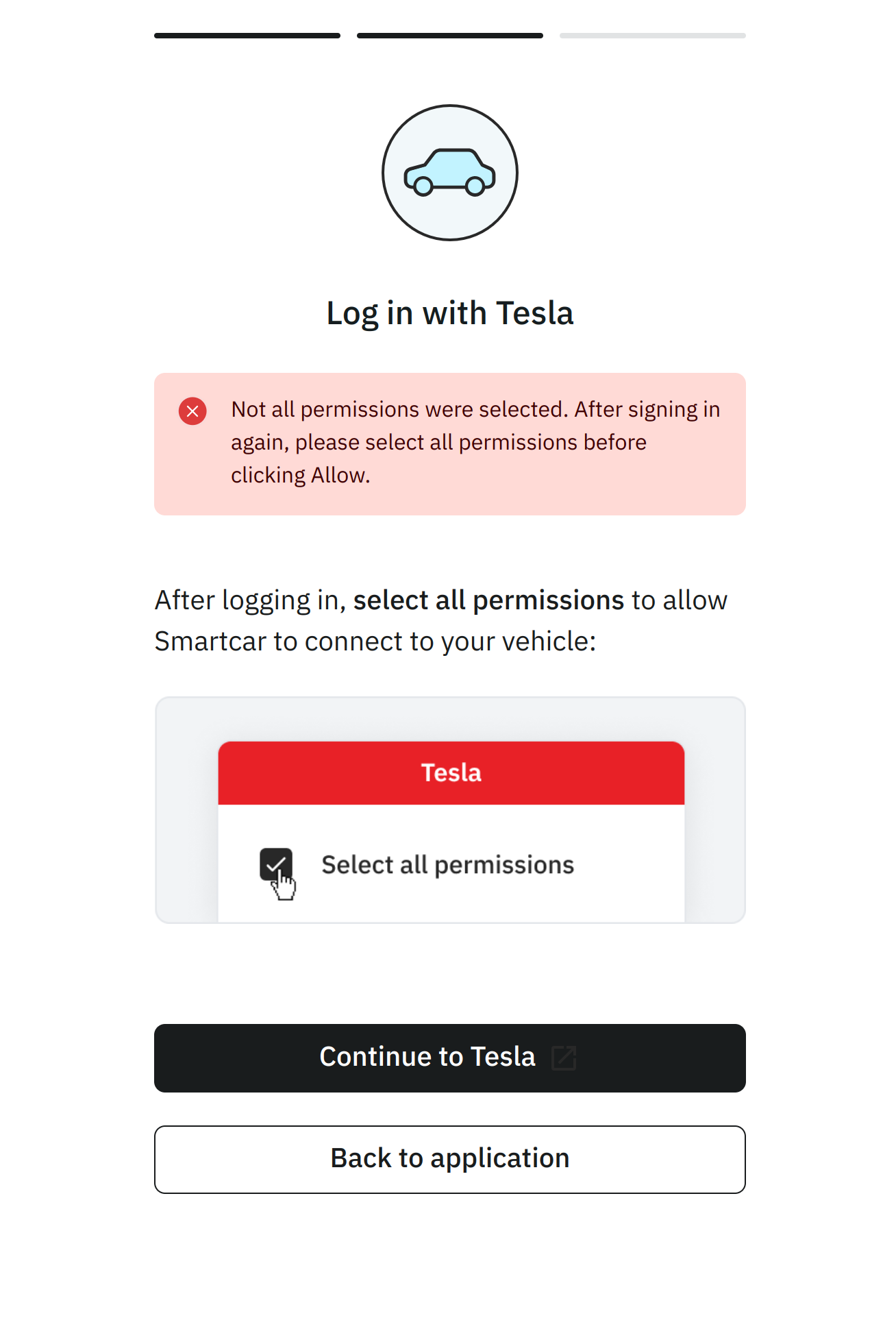
prefix to Smartcar scopes in your Connect URL e.g. required:read_location.As a result if they do not select the necessary permissions with Tesla, they will see the
following screen and be prompted to return to Tesla to update their permissions.
Tesla provides a limited set of permissions. To ensure vehicle data is shared only with explicit consent, Smartcar has mapped Tesla’s permissions into its existing more granular options. For example, granting access to “vehicle commands” in a Tesla account allows an application to start or stop charging, lock or unlock doors, enable or disable Sentry Mode, and more. Smartcar separates these permissions so that applications must request access to control charging separately from access to vehicle security, control navigation, etc. Smartcar does not use or share vehicle data beyond the permissions listed in this table. An application with the ability to control the charge status of a vehicle, does not have access to control other aspects of the car unless explictly requested and granted by a vehicle owner.
Smartcar Permission
Tesla Permission
control_charge
Vehicle Charge Management (vehicle_charging_cmds)
control_climate
Vehicle Commands (vehicle_cmds)
control_navigation
Vehicle Commands (vehicle_cmds)
control_pin
Vehicle Commands (vehicle_cmds)
control_security
Vehicle Commands (vehicle_cmds)
control_trunk
Vehicle Commands (vehicle_cmds)
read_battery
Vehicle Information (vehicle_device_data)
read_charge_records
Vehicle Charge Management (vehicle_charging_cmds)
read_charge
Vehicle Information (vehicle_device_data)
read_climate
Vehicle Information (vehicle_device_data)
read_compass
Vehicle Information (vehicle_device_data)
read_engine_oil
Vehicle Information (vehicle_device_data)
read_extended_vehicle_info
Vehicle Information (vehicle_device_data)
read_fuel
Vehicle Information (vehicle_device_data)
read_location
Vehicle Location (vehicle_location)
read_odometer
Vehicle Information (vehicle_device_data)
read_security
Vehicle Information (vehicle_device_data)
read_speedometer
Vehicle Information (vehicle_device_data)
read_thermometer
Vehicle Information (vehicle_device_data)
read_tires
Vehicle Information (vehicle_device_data)
read_user_profile
Profile Information (user_data)
read_vehicle_info
Vehicle Information (vehicle_device_data)
read_vin
Vehicle Information (vehicle_device_data)
Was this page helpful?
Assistant
Responses are generated using AI and may contain mistakes.